Automations
Recurring or triggered agent work.
Automations run agent work from a schedule, trigger, or manual dispatch.
Use automations for repeated work that should not require you to open a workspace and write the same prompt every time.
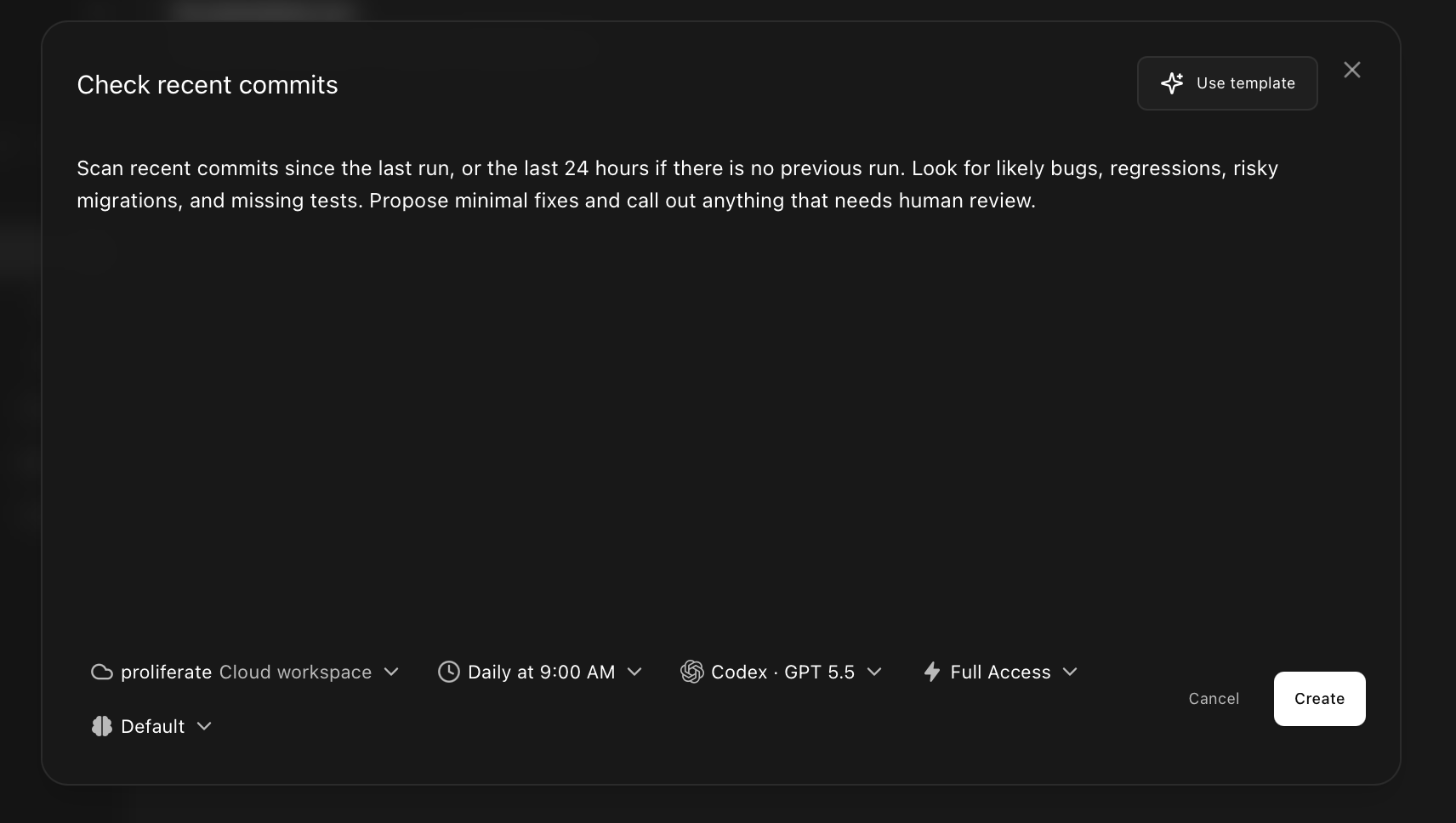
Set a schedule
Automations can run on a schedule, from manual dispatch, or eventually from an external event.
Use schedules for recurring checks, review passes, maintenance, or reports.
Pick a target
Each automation needs a target.
Targets can include:
- Repository.
- Workspace.
- Cowork thread.
- Cloud environment.
- Review run.
The target decides where the automation runs and where the result should land.
Configure with agents
Choose the agent behavior for the automation.
Configuration can include:
- Harness.
- Model.
- Planning or coding mode.
- Reasoning level.
- Review personality.
- Output policy.
- Whether the automation can auto-iterate.
Common uses
Automations can help with:
- Routine code review.
- Plan review for larger tasks.
- Dependency or test checks.
- Issue triage.
- Documentation drift.
- Repeated repository maintenance.